
RenameClick
PreviewOffline AI file renamer
Offline AI Renamer for Mac & Windows
Batch rename files with local AI. Transform messy filenames like 8a095-4d0f6a90008b.pdf into descriptive names like Blood Test.pdf. Rename hundreds of files in minutes.
Free to start • No credit card required

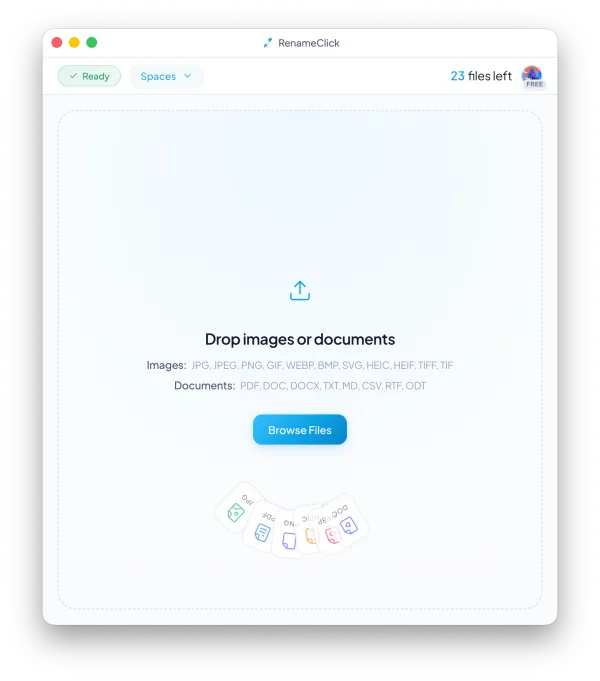
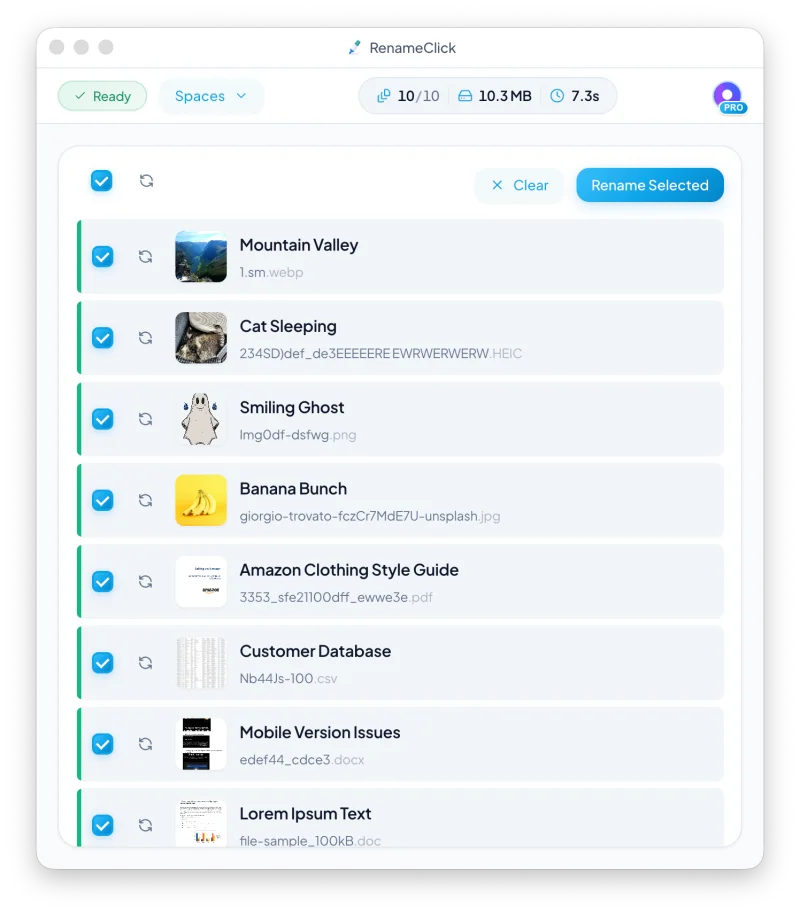
RenameClick is an offline AI renamer that works entirely on your Mac or Windows PC. Unlike cloud-based tools, your files never leave your computer. Batch rename hundreds of images and documents in minutes using local AI that understands file content.
Supported file types
RenameClick understands the most common image and document formats used in real workflows — from camera rolls to client PDFs.
JPG, JPEG, PNG, GIF, WEBP, BMP, SVG, HEIC, HEIF, TIFF, TIF
PDF, DOC, DOCX, TXT, MD, CSV, RTF, ODT
See RenameClick in action
Watch how messy folders turn into a clean, organized library in under a minute.
Simple, fair pricing
Start free, then unlock unlimited renames with a one‑time upgrade.
Lifetime
Preview PriceOne-time payment
Buy now, get all future features included
- Unlimited files forever
- All AI features
- Lifetime updates
Roadmap
Features we're working on.
Output Language Selection
Choose your preferred language for renamed files — English, Spanish, German, French, and more.
Custom API Keys
Support for your own OpenAI and Google API keys for cloud-based processing.
Custom GGUF Models
Bring your own GGUF models for fully customized local AI processing.
Ollama Integration
Connect to Ollama for even more model options and flexibility.
Cloud Storage Integration
Rename files directly in Google Drive and iCloud without downloading.
Apple Intelligence
Native integration with Apple Intelligence for macOS users.
System Requirements
RenameClick runs a local AI model for complete privacy.
~4 GB Disk Space
After installing local LLM
~3 GB RAM
When processing files
Frequently Asked Questions
Got questions? We've got answers.
Why is the app size so large?
RenameClick includes a ~4GB local AI model optimized for understanding file content. This model delivers the best balance of quality, speed, and system efficiency - providing accurate results without requiring internet access or cloud processing.
Does it work with non-English documents?
Yes. RenameClick can process and rename files containing text in various languages. However, English content produces the best results since the AI model is primarily trained on English data. Other languages may work with varying accuracy.
Does it support NSFW content?
No. The AI model is filtered and won't generate appropriate names for adult or explicit content.