
Rename only
Change filenames in their current folders.
 RenameClick
AI file renaming for Mac and Windows
Choose your installation below. No card needed to start.RenameClick is a desktop application available for Mac and Windows. Please visit this page from your computer to download.
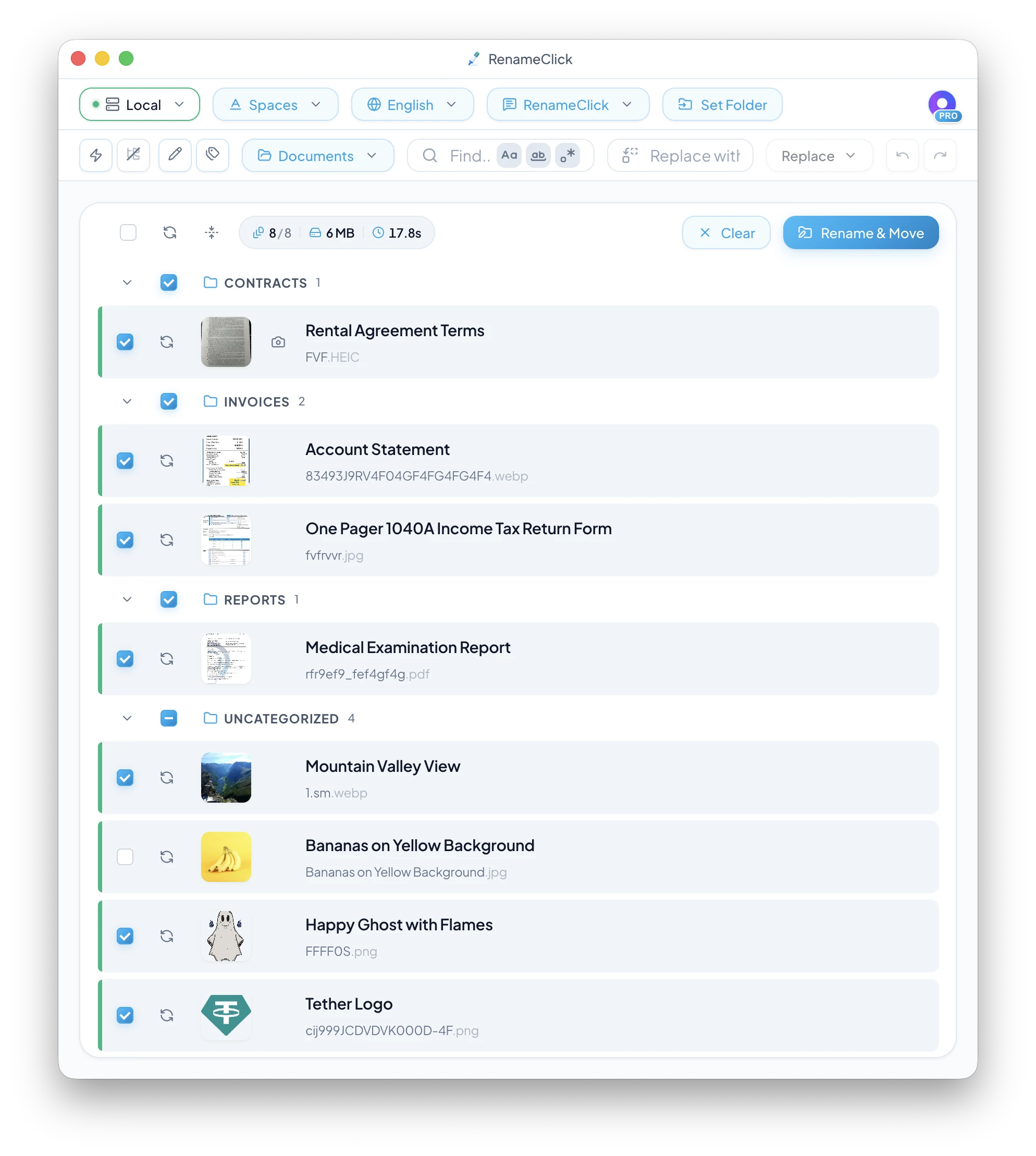
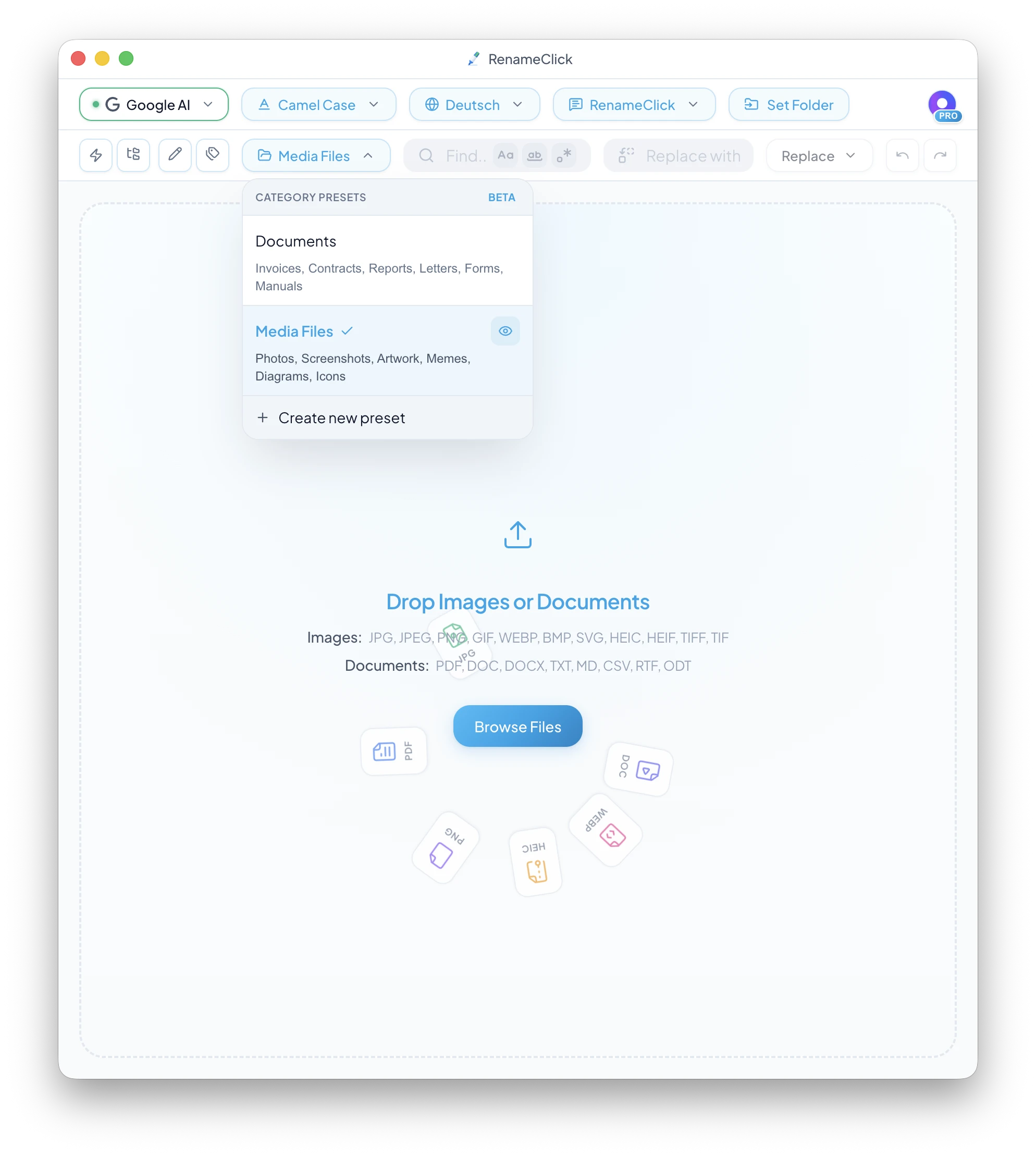
Point it at a messy folder. RenameClick reads images and documents or transcribes spoken audio locally, then turns cryptic names like 8a095-4d0f6a90008b.pdf into clear names like Blood_Test_Results.pdf. Review the suggested filename and category folder before applying anything. Or index a folder once, find a file by describing what is in it, and rename it right from the results. After its one-time model download, the Local provider works with Wi-Fi off.
Watch a mixed batch: add files, inspect names and folders, then click Rename & Move.
Choose what should change. Naming and folder organization have separate settings.
Names and folders
Change filenames in their current folders.
Keep the names and move files using a sorting preset.
Apply the selected filename and destination together.
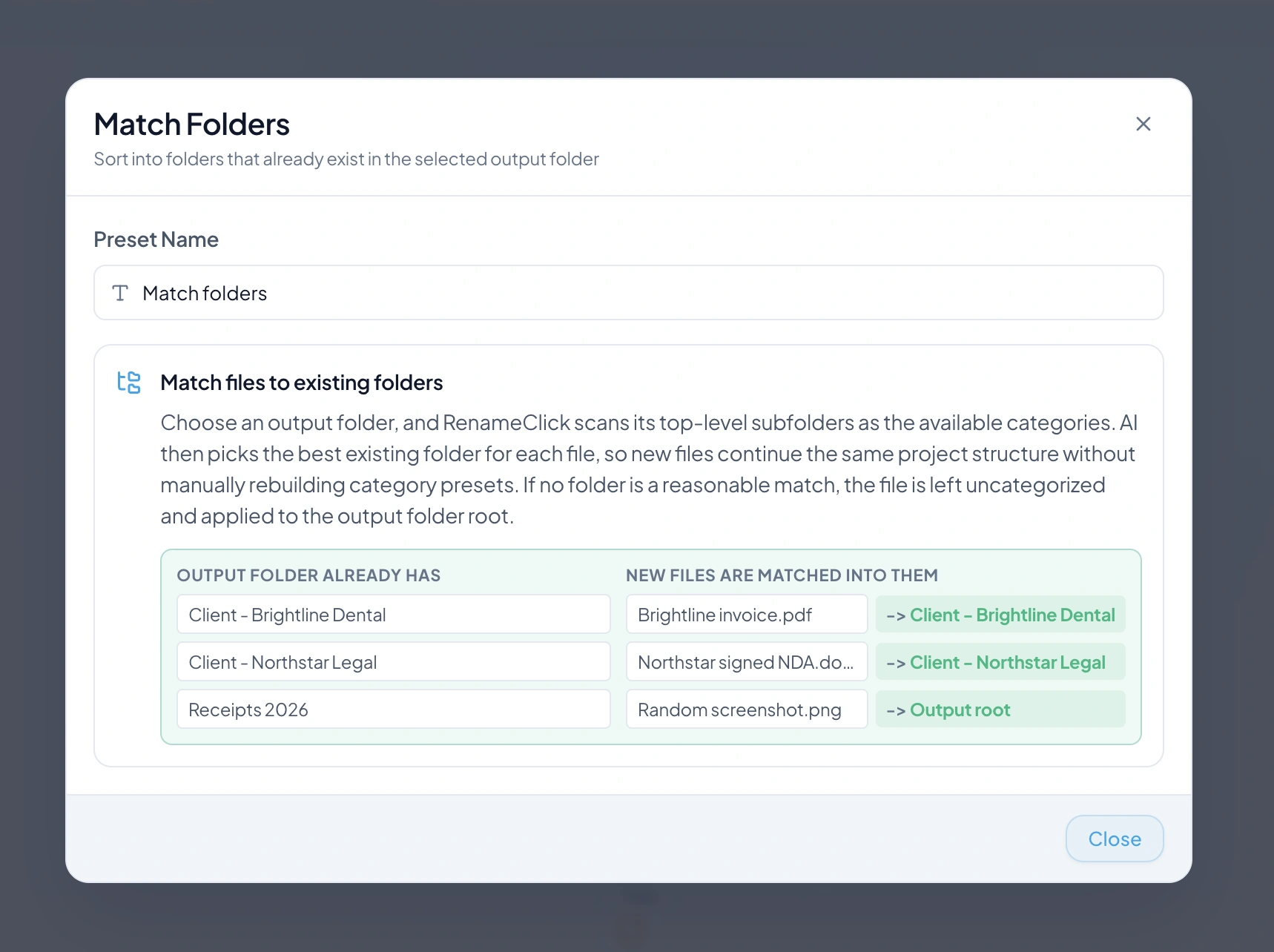
Use content categories, metadata paths, or existing folders.
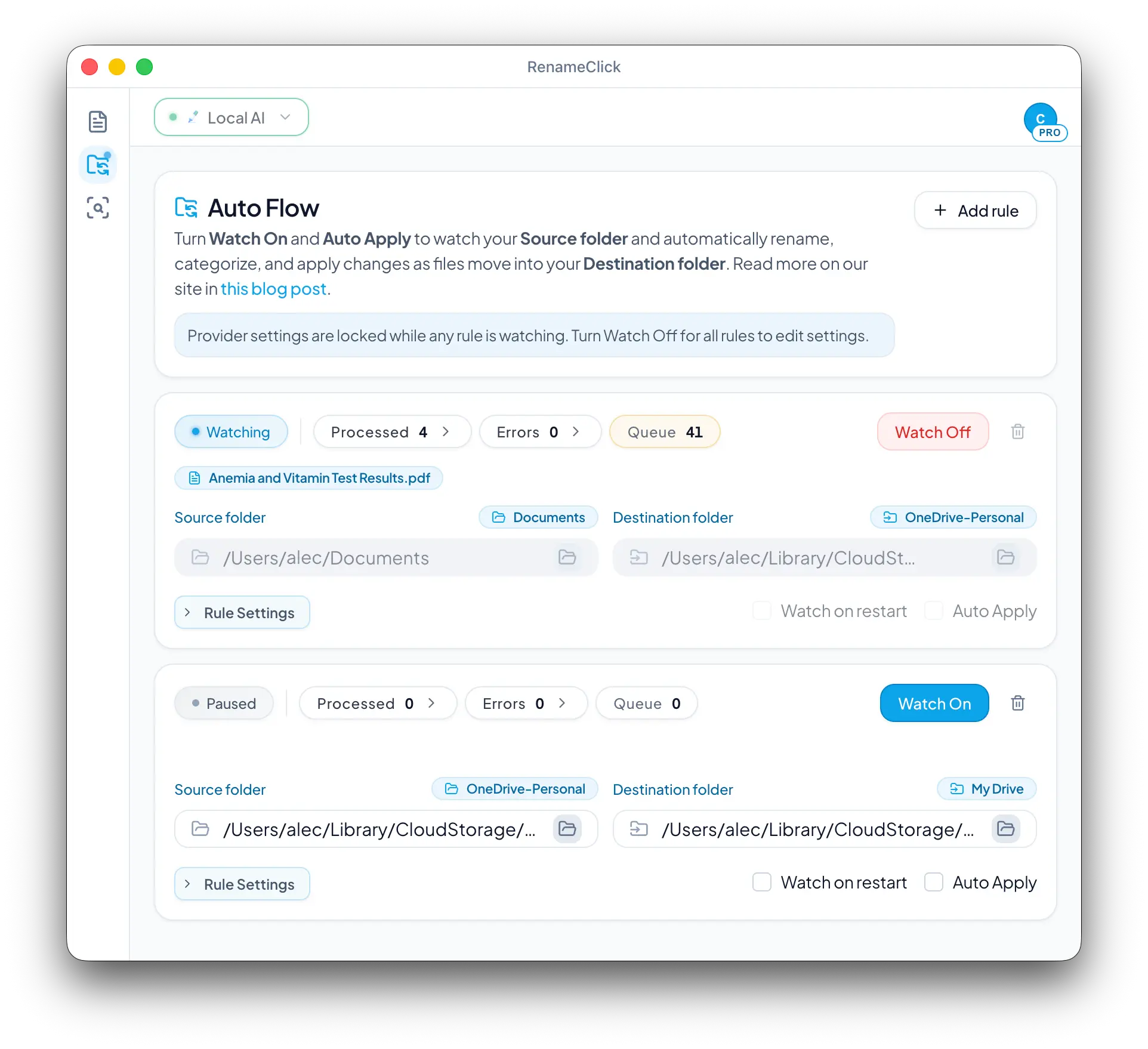
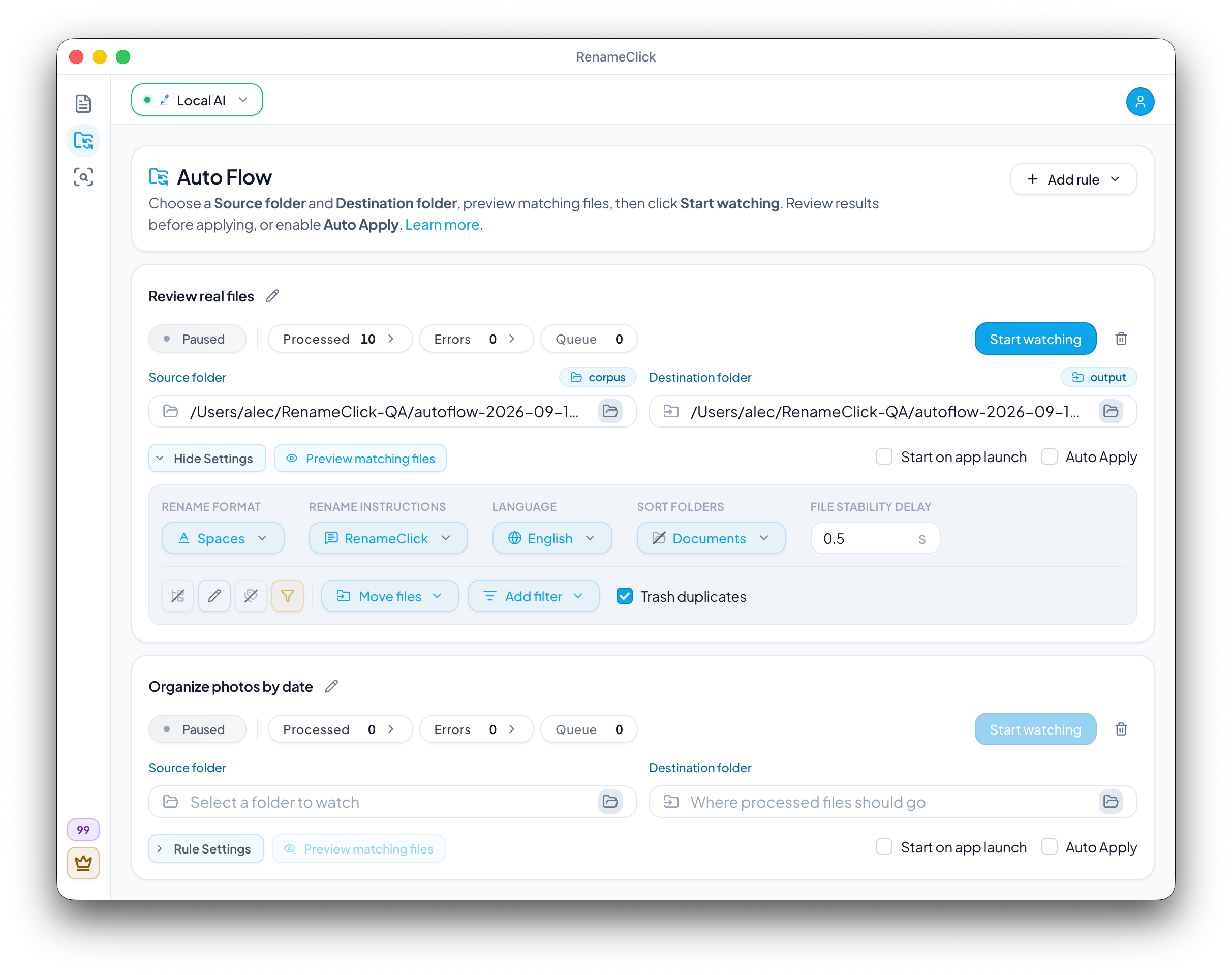
Auto Flow watches folders while the app runs; Auto Apply is optional.
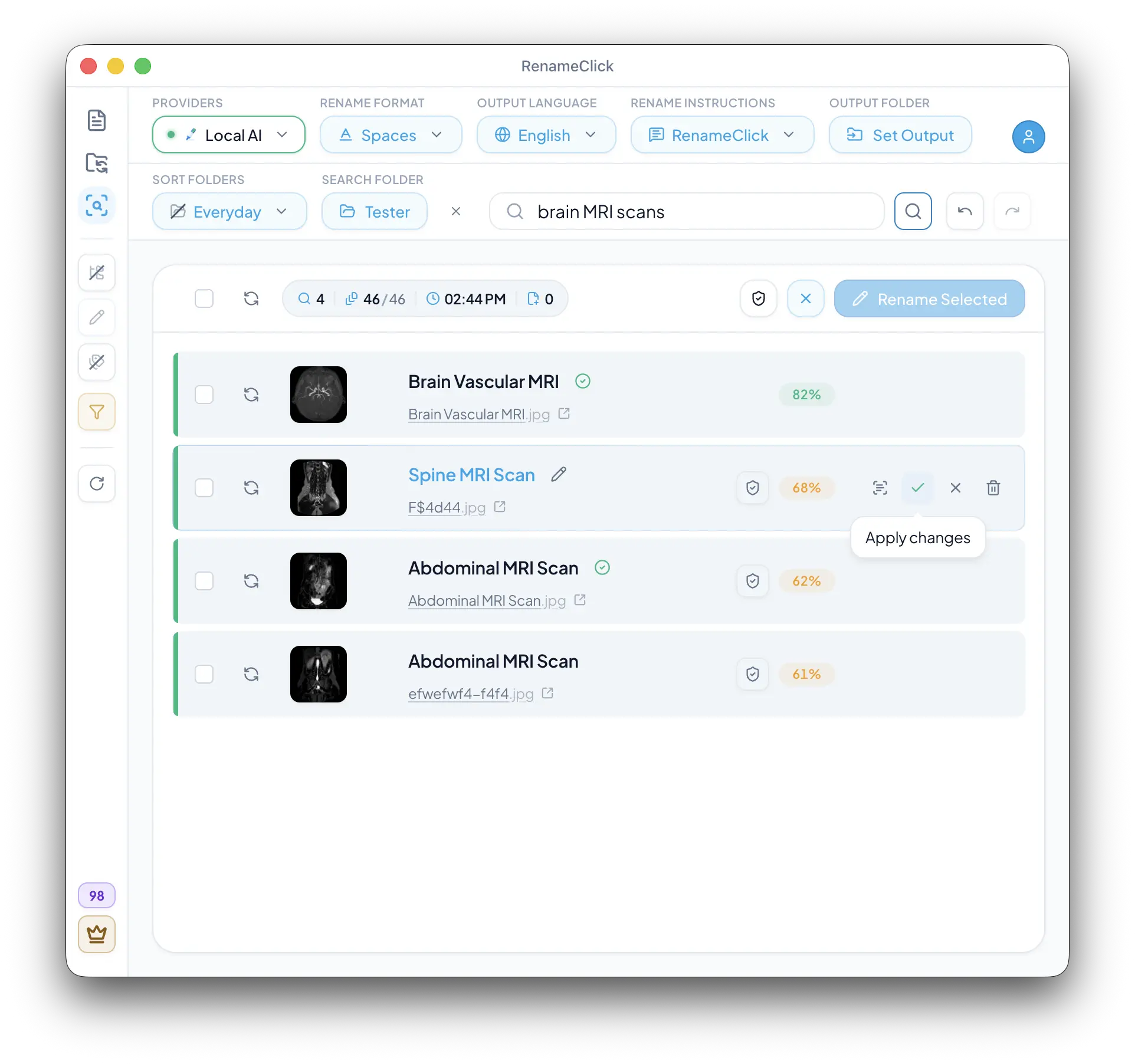
Index a folder once, describe the document or image you need, and apply the proposed name right from the results.
All supported extensions, grouped by file type.
Local audio transcription
Local transcription supplies speech context for naming. Long recordings are sampled; this does not identify songs.
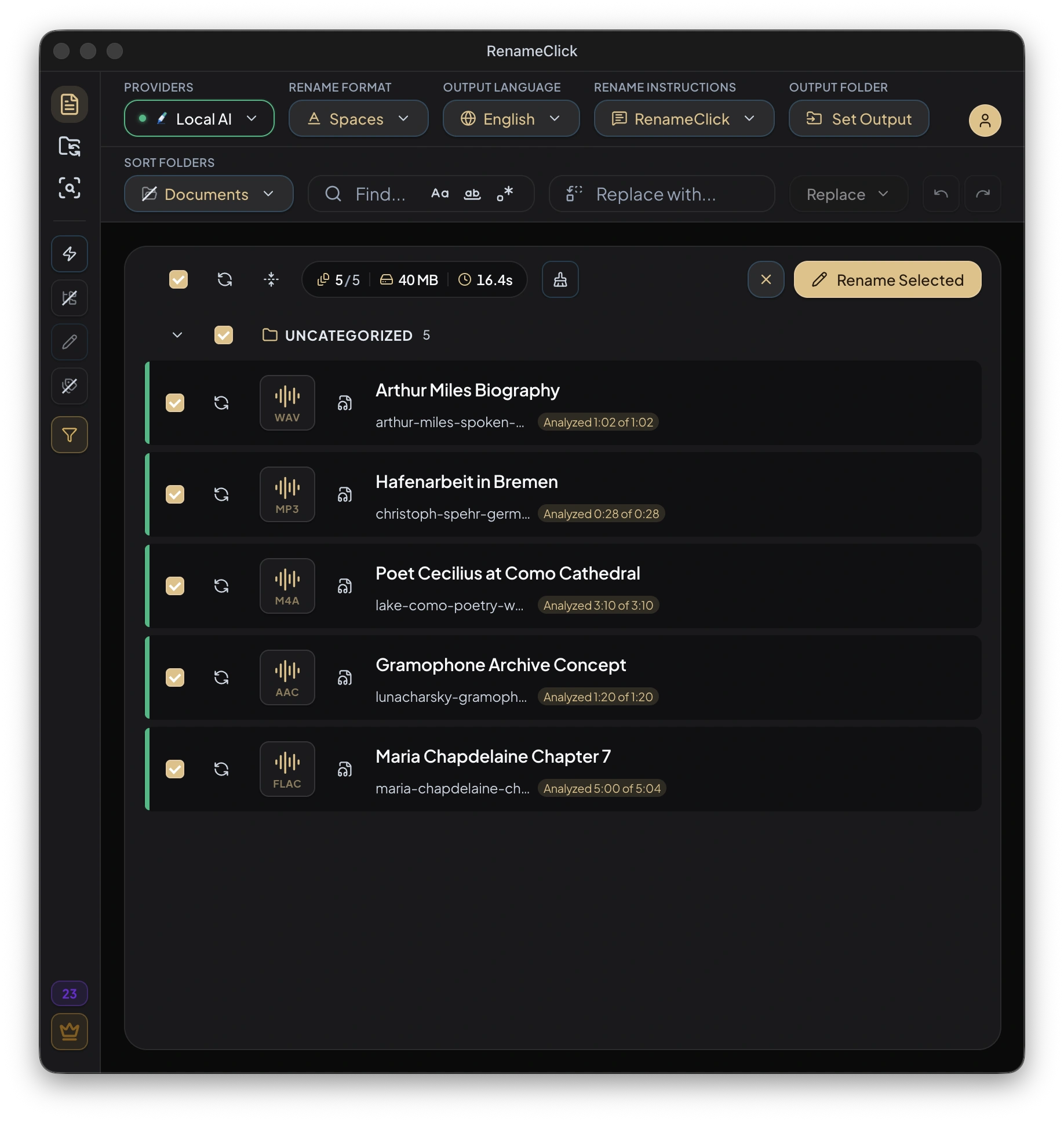
Audio stays on your device with Local AI
Choose where analysis runs
Install the built-in model, connect a model server, or use a supported cloud API.
Local-first runtime
For local processing, download the built-in model or run Ollama or LM Studio on this device. A server on another computer receives the content.
| Provider | Scope | Privacy |
|---|---|---|
RenameClickBuilt-in local model | Included | Device |
OllamaRun local models | Local | Device |
LM StudioGGUF / local server | Local | Device |
Cloud providers receive content for analysis and use your API key. Their usage charges are separate from RenameClick.

Cloud providers are available in direct macOS and Windows builds. They are excluded from the Mac App Store build.
No credit card required
Start with your own files
For ongoing use
One-time payment
Buy now, get all future features included
Choose a plan inside the app. Direct macOS and Windows licenses cover up to 3 active devices. Mac App Store purchases are separate. External AI provider fees are not included.
Local AI needs model storage and working memory. Actual memory use depends on the settings and files.
A few practical questions about processing and purchases.
Not necessarily. Local AI can use CPU fallback where supported. A suitable GPU can accelerate processing, but time and memory use depend on your hardware, settings, and files.
Local file processing can work offline after the required model downloads. Initial downloads, license activation and recovery, and Apple purchase restoration need their own connections. Cloud providers need internet for analysis.
Install Audio Transcription in AI & Models. For local filename generation, also install RenameClick Local AI and select it. Long recordings are sampled; this is for speech, not identifying songs.
One successfully changed file uses one credit. Renaming and moving it together in one action uses one credit, not two. Analysis and AI Search use no apply credits; external cloud API fees are separate.
Yes. Custom Instructions can specify fields, order, language, and missing values. With a custom prompt selected, ordinary Format and Output Language are disabled. Check extracted fields before applying.
Direct macOS and Windows share an email-linked license for up to 3 active devices. Mac App Store purchases are separate and restored through Apple; that build excludes cloud providers.
Yes, when their contents are available locally through the sync application. RenameClick does not browse cloud storage websites. Renames and moves can also be synchronized by your storage provider.
Yes. Start Auto Flow Watch with Auto Apply off to inspect suggestions. Enable Auto Apply for a row when you want it to make changes automatically while the app runs. Turn Watch off for Undo; history is not retained across restart.
Learn a specific task: name recordings, keep original file IDs, build folder rules, or find a document.
File search
Index a local folder once, then search it by what its files contain. Write a useful query, check the matching documents or images, and rename or move them right from the results.
Read article →
Audio
Give voice notes, interviews, and lectures descriptive filenames with local speech transcription. Set up RenameClick, choose an analysis duration, and check the results.
Read article →
Naming formats
Templates and examples for documents, photos, screenshots, scans and recordings, the mistakes that break sorting, and how to apply one convention with RenameClick.
Read article →
Folder automation
Set up folder rules that filter, rename, sort, move or copy incoming files. Preview matches, review changes, and choose when Auto Flow can apply them.
Read article →
File renaming
Batch rename images, scans, PDFs, and documents by content. Pick a local or cloud provider, set the name format, review suggestions, then apply or undo on Mac and Windows.
Read article →