AI Providers & Models
Choose built-in Local AI, a configured model server, or an optional cloud provider, with channel and data-handling limits.
Updated Applies to RenameClick 2.16.0
Choose Where Analysis Runs
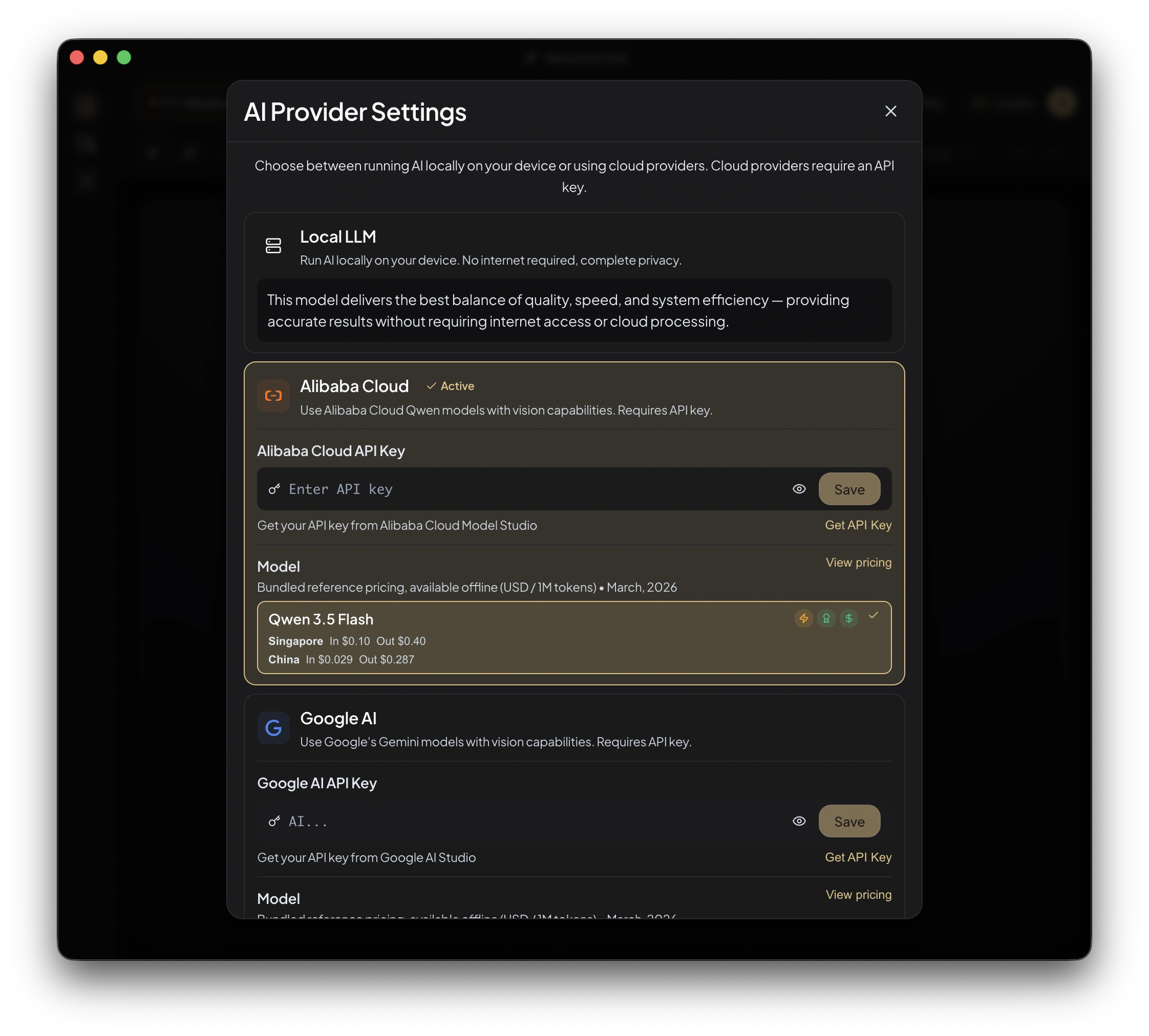
| Provider | Setup | Where content is processed |
|---|---|---|
| RenameClick Local AI | Install the built-in capability | On your computer |
| LM Studio | Run a compatible model server and configure its base URL | At the configured server |
| Ollama | Run a compatible model server and configure its base URL | At the configured server |
| OpenAI | Your API key and a supported model | OpenAI’s service |
| Your API key and a supported Gemini model | Google’s service | |
| Alibaba Cloud | Your API key and a supported model | Alibaba Cloud’s service |
Cloud providers are available in direct macOS and Windows builds, not the Mac App Store build. Select a model that supports the content you need, including vision for images and scanned PDFs. No provider is ranked here for accuracy or speed; those depend on the model, input, and settings.
Local AI
Install RenameClick Local AI in AI & Models. The model download is about 4 GB. Once installed and selected, it can analyze files without internet or an external API charge.
The model needs working RAM or VRAM in addition to disk space. Hardware acceleration and CPU fallback depend on the platform. More context uses more memory; it does not guarantee better results.
Audio Transcription
Install Audio Transcription separately for MP3, WAV, FLAC, M4A, and AAC speech recordings. Transcription runs locally. The selected naming provider then receives bounded transcript context to generate the name.
With Local AI selected, both stages stay on the device. With an optional cloud naming provider, the transcript context goes to that provider; raw audio transcription remains local. Long recordings are sampled according to Analyze up to. Audio limits.
LM Studio and Ollama
Both providers connect RenameClick to a model server you run separately. Keep the server running while RenameClick processes files. The steps below show an LM Studio setup using Qwen3 VL 4B as an example vision model.
Step 1: Install LM Studio
Download and install LM Studio. Allow disk space for the model download and enough RAM or VRAM to load it. Memory requirements depend on the model and context settings.
Step 2: Download a Vision Model
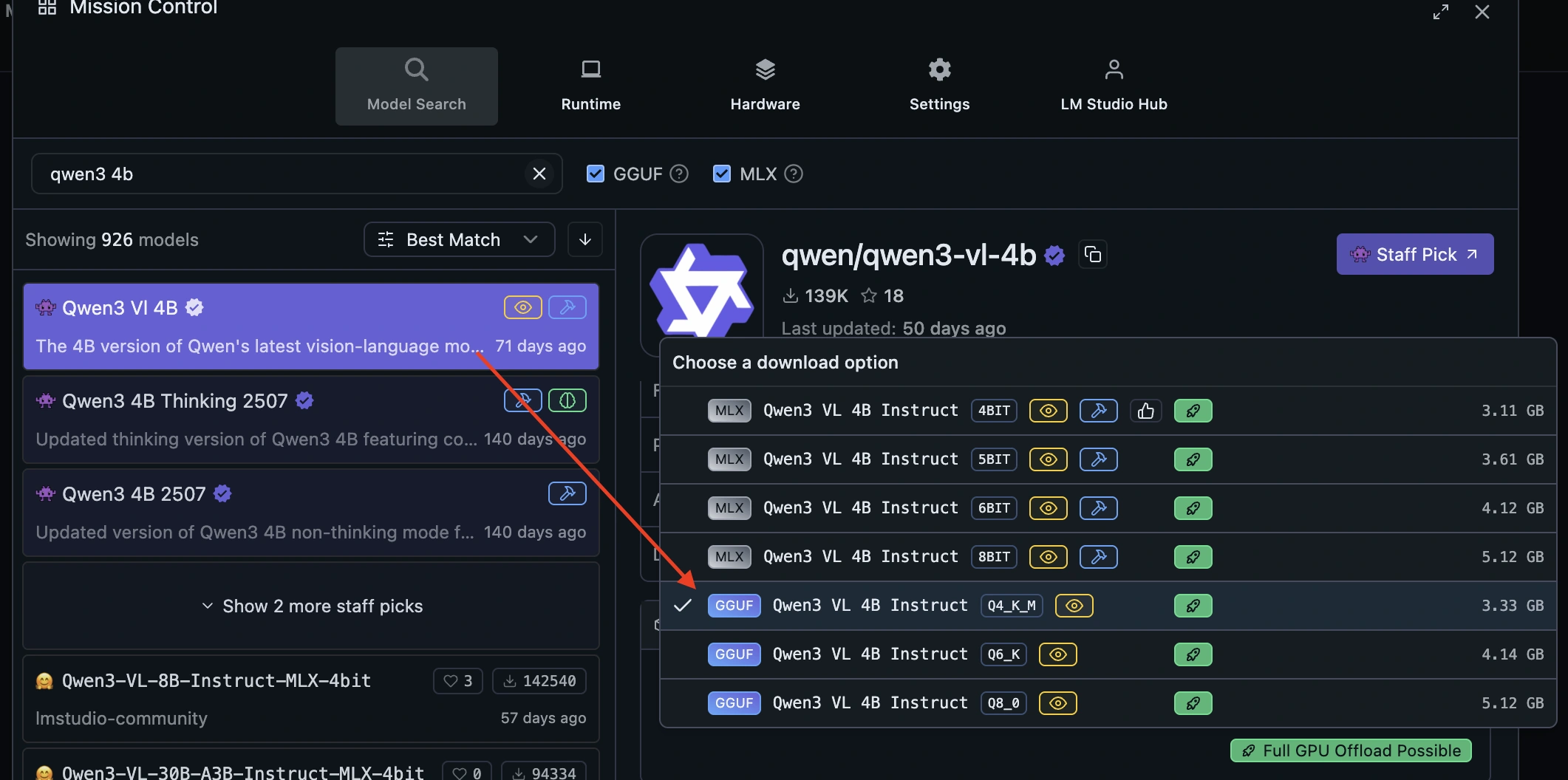
- Open Model Search in LM Studio and search for
qwen3-vl-4b. - Select Qwen3 VL 4B. The screenshot shows the GGUF Q4_K_M download option.
- Download the model and wait for completion. Use a vision-capable model for images and scanned PDFs.
Step 3: Load the Model and Start the Server
Open the Developer tab, choose Select a model to load, and load the downloaded model.
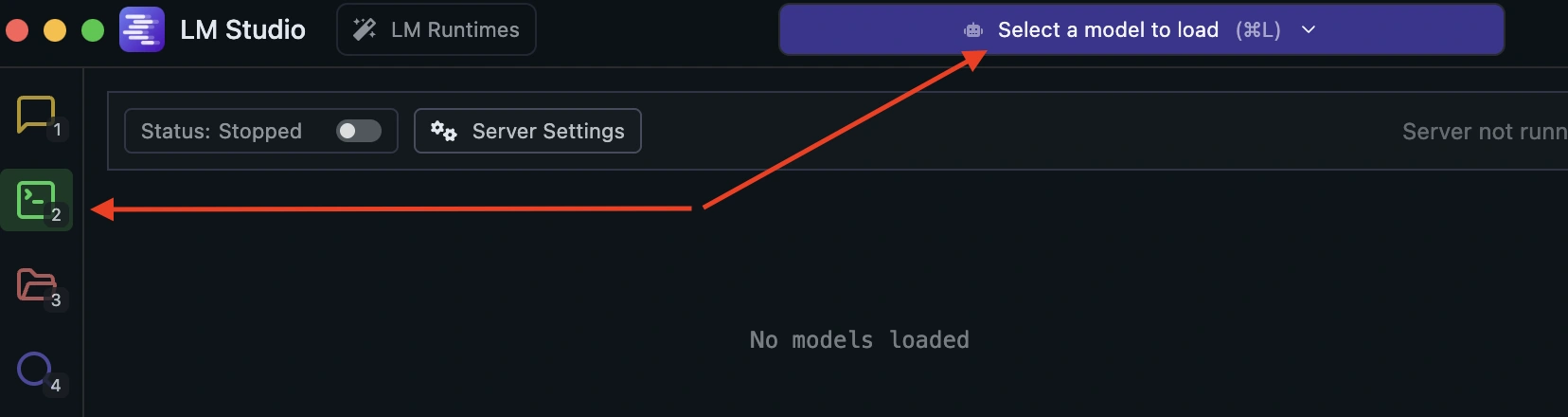
Turn on the server switch. Check that the server shows Running and the model is Ready, then copy the address shown beside Reachable at. The example below uses http://127.0.0.1:1234.
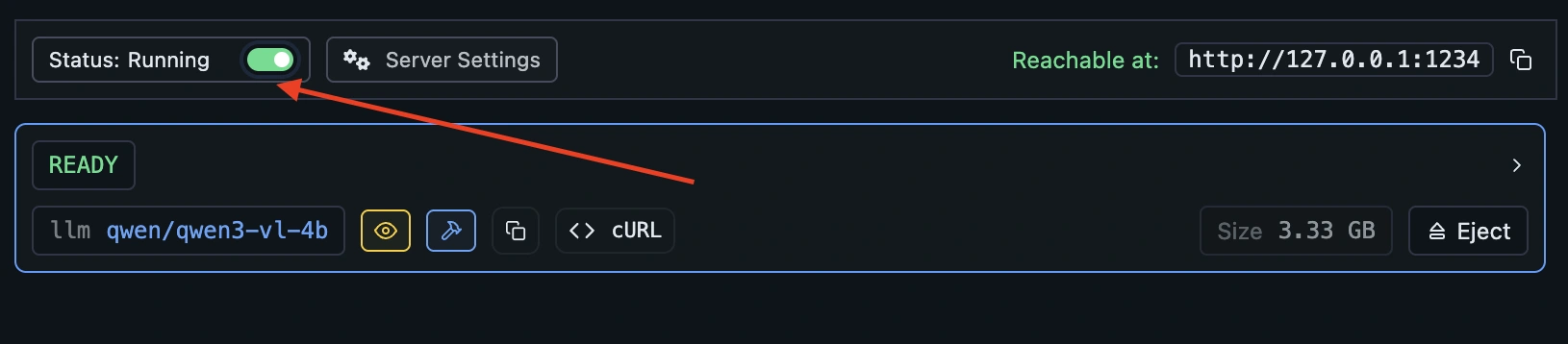
See LM Studio's local server guide for its server controls.
Step 4: Connect RenameClick
Stop AI Search and stop watching in all Auto Flow rules before switching providers. Open AI & Models and select LM Studio. In the earlier RenameClick interface shown below, use the provider dropdown and Configure Models to reach these settings.
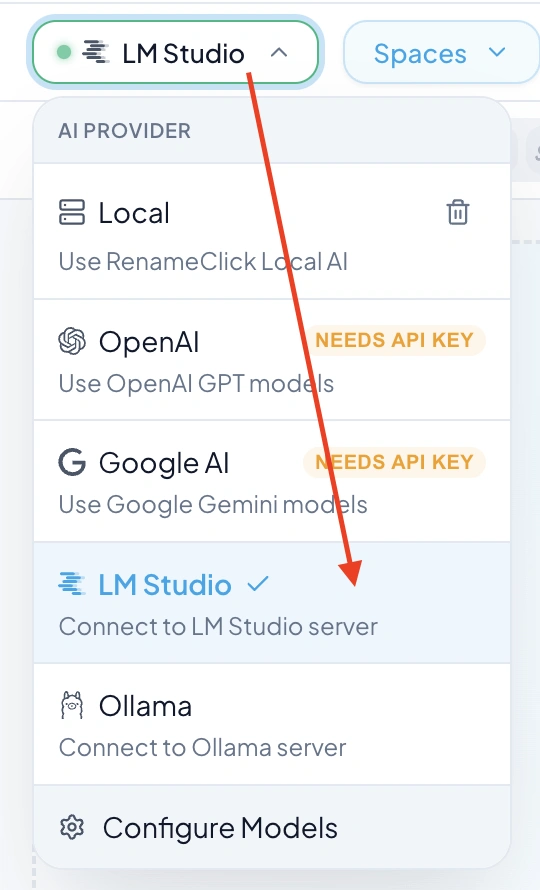
- In the LM Studio settings, set Server URL to the address shown by your running server. For a server on the same computer,
http://localhost:1234is another usual local address. - Choose Test and check for Connected.
- Refresh the model list and select the loaded vision model, such as
qwen/qwen3-vl-4bin this example. - Confirm that LM Studio is the active provider, then try processing a file.
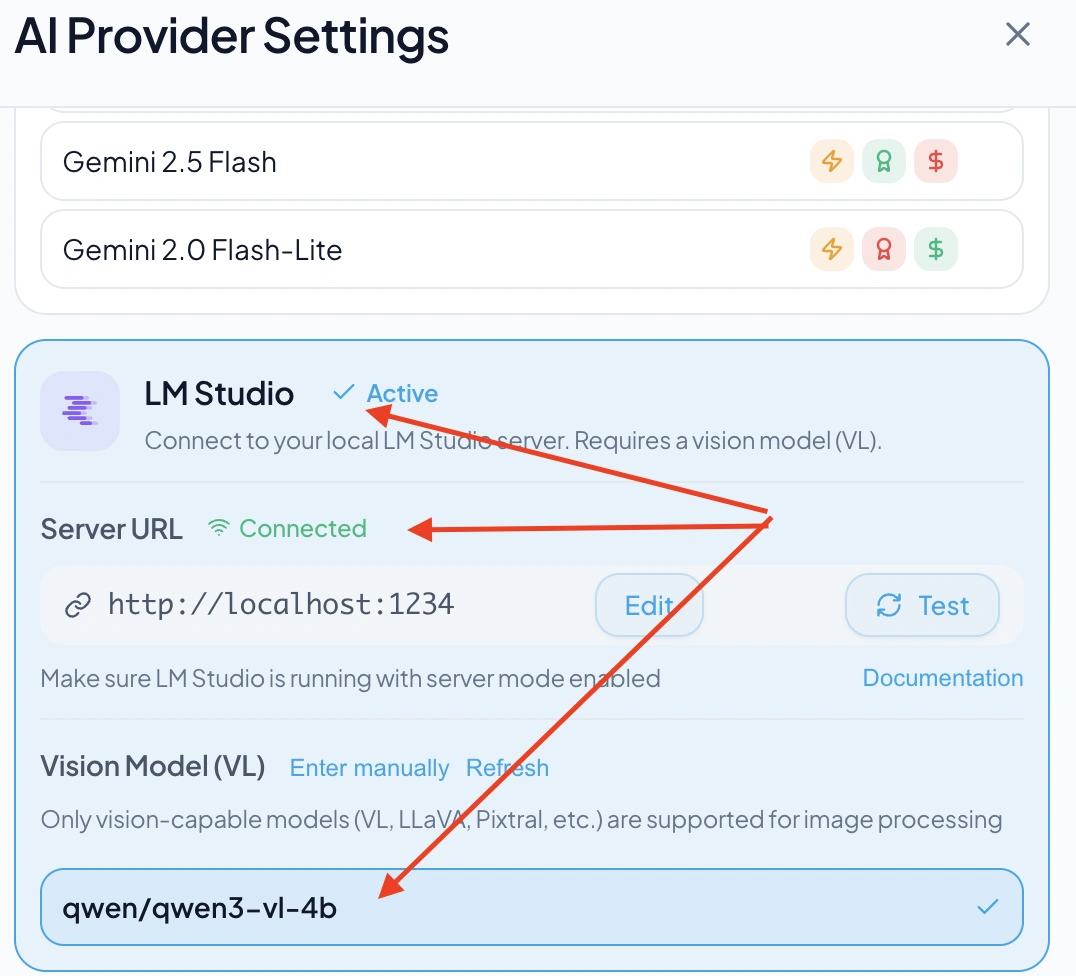
If the connection fails, check that LM Studio is still running and that the server address matches. If the model is missing, load it in LM Studio and refresh the model list in RenameClick.
Ollama Setup
Load a compatible model in Ollama and start its server. Select Ollama in RenameClick, set the base URL to the address your server exposes, and choose an available model. Ollama’s usual local address is http://localhost:11434.
For either provider, a server on another machine receives the content over that connection; selecting LM Studio or Ollama does not by itself mean the files stay on this computer. Model downloads may require internet even when later inference is local.
Cloud Providers
Enter the provider’s API key in its settings and select a supported model. Network access and any account balance or billing required by the provider are separate from RenameClick Pro. A Pro license does not include third-party API usage.
Images, extracted document text, or bounded audio transcript context are sent according to the file-processing path. Review the provider’s terms before choosing it for files with restricted handling requirements.
Switching Providers
Choose a provider in AI & Models and check its readiness indicator. Stop AI Search and stop watching in all Auto Flow rules before changing provider or model settings. Resolve an unavailable key, endpoint, or model before retrying a failed file.
Offline Use
Local file processing can work offline after the required models are installed. Initial downloads, license activation or recovery, and purchase restoration have their own network requirements. These are separate from the location of file analysis. Installation · Credits and licenses.