
Batch renaming
Batch File Renamer for Mac and Windows
Rename a selected batch using content descriptions, file dates, original IDs, and counters. Edit suggestions together and apply only the files you choose.
- Reusable format presets
- Find & Replace on suggestions
- Selective apply and workspace Undo

Choose a naming rule that fits the batch; separate files with incompatible naming schemes.
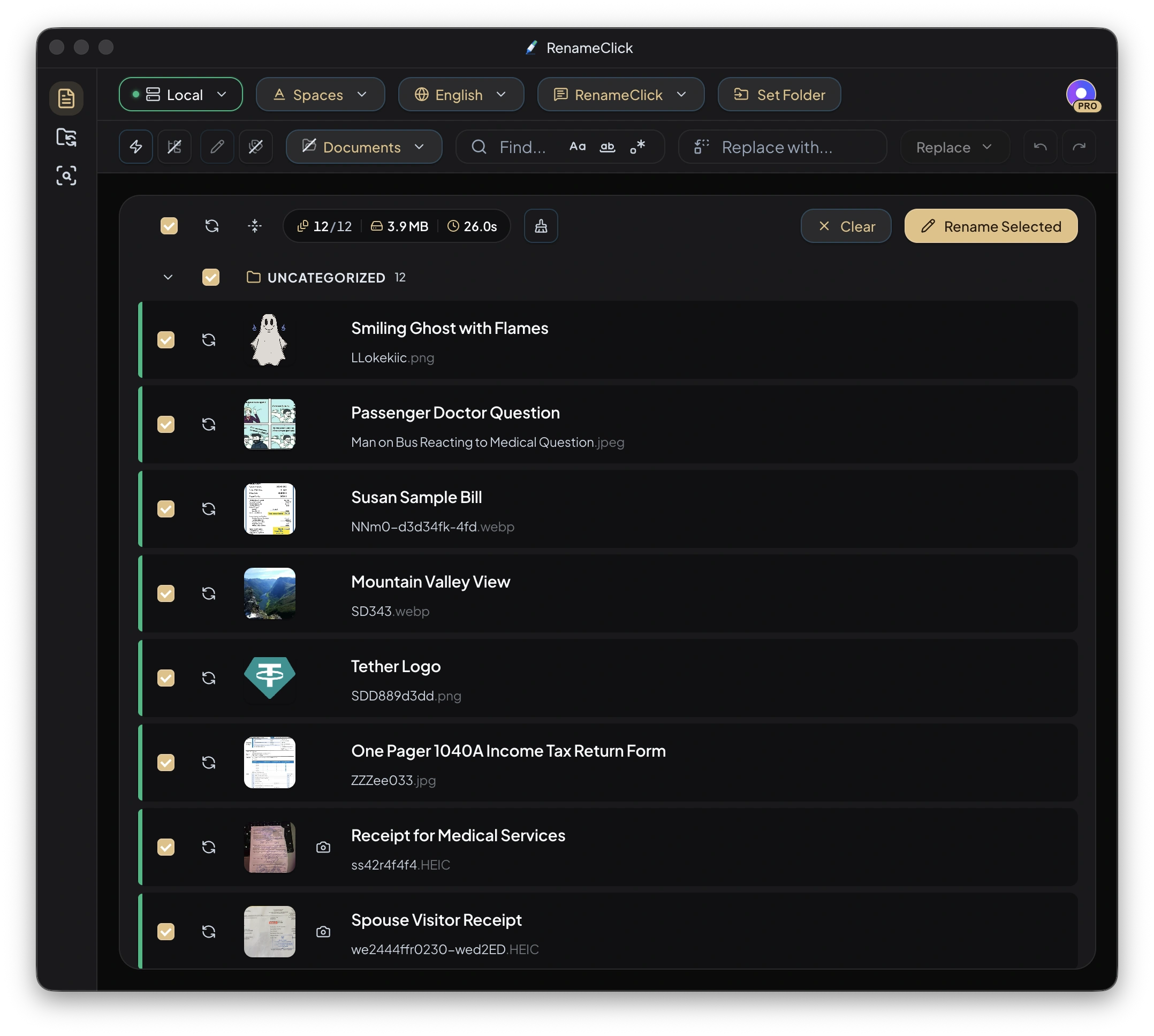
Add the right files
Choose file types and add files or a folder in Rename. Folder drops are non-recursive by default; enable Recursive to include subfolders. Auto Process starts analysis on add, or you can turn it off and click Run AI when ready.
Combine descriptions with existing information
With the built-in instructions selected, a custom Format can use $1 for the AI description, $oldName for the original stem, file dates, and available EXIF or audio metadata. $words selects parts of a name according to a defined structure.
$oldName_$1
$words{old,1..2; join="_"}_$1Choose the counter you mean
$index follows the original batch order and can contain gaps. $successIndex numbers successful results, with optional padding and a starting value. Neither counter preserves an external ID unless you also retain that ID from the original name.
Edit repeated wording in one place
Find & Replace edits suggested names before apply. Use case-sensitive matching, whole-word matching, or regex when needed. Check the changed suggestions, especially IDs and dates. Deselect files that should remain unchanged.
Apply and undo within the workspace
Click Rename Selected for the selected names, or Rename & Move when categorization is also enabled. Extensions are preserved and conflicting target names are made unique. Rename workspace Undo keeps up to 10 entries in memory and is cleared when the app restarts.
Use prompts for fields inside documents
A custom naming prompt can request document fields and their order. Put the language and separators in that prompt; ordinary Format and Output Language are disabled while it is selected.
Local processing and apply limits
Choose Local for on-device analysis after downloading its model. Optional cloud providers in the direct macOS and Windows builds use your API key and receive content for analysis; their charges are separate. The Mac App Store build excludes cloud providers.
Analysis does not use RenameClick credits. Free includes 100 renames or moves each month. Renaming and moving one file in the same action uses one credit; failed changes use none. Pro removes the apply limit. External API charges are separate.