
File search
Find Files by Their Contents
Index a folder once, then describe the document or image you need. RenameClick answers from the on-device index, proposes names for the matches and can rename or move them right away.

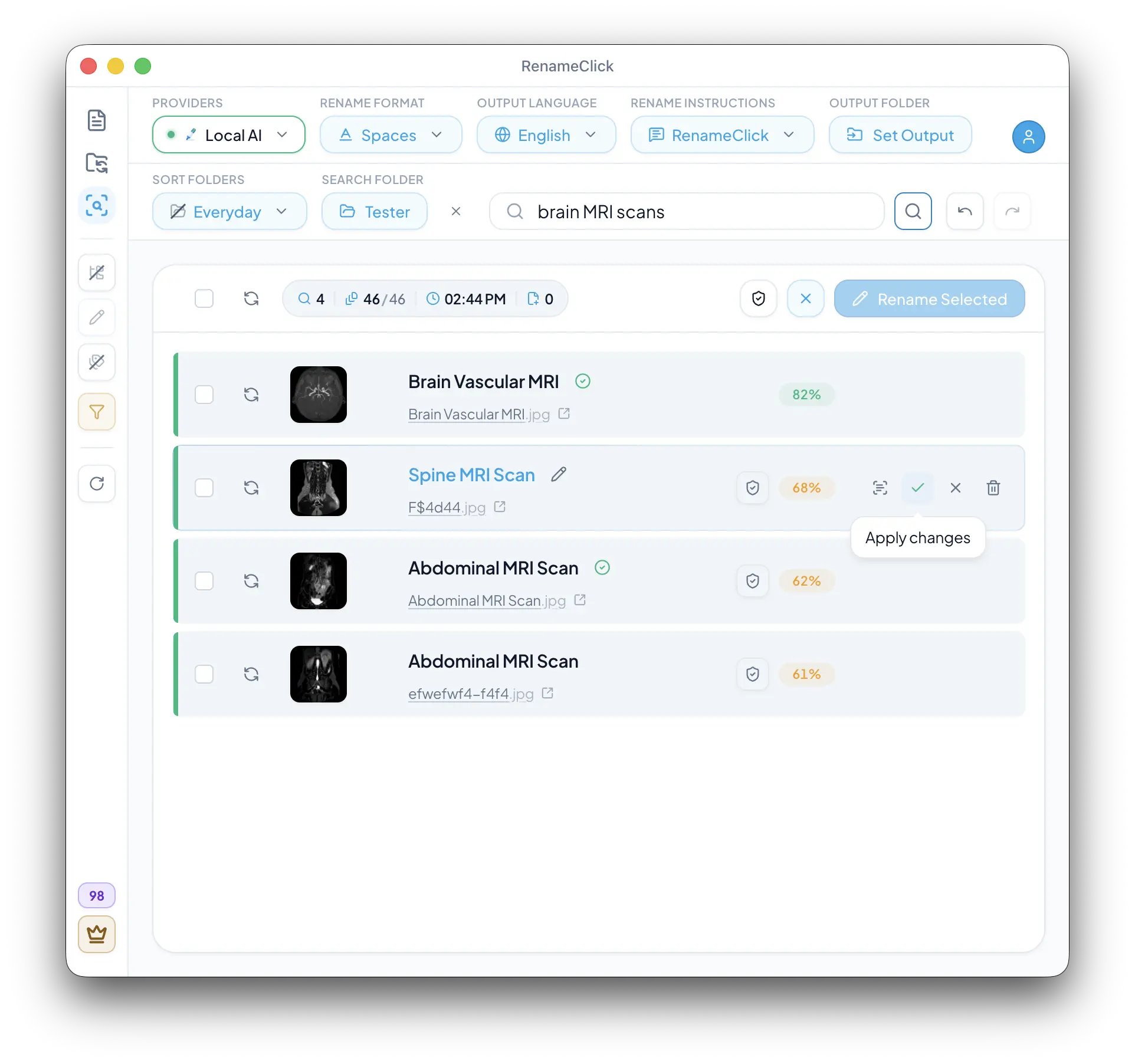
An index of the folder you choose
AI Search reads each supported file in the chosen folder once: document text, scans and a Local AI description of every image. Every later search answers from that index on your device. It is not a whole-computer index or a question-answering system over your documents. Open a match to confirm that it is the file you need.
Index once, search in a fraction of a second
Rename and move matches right away
Searching uses no apply credits
Queries can describe what you remember
- The purpose of a document, such as an invoice or passport scan.
- A visible subject, such as a beach photo or a chart.
- A topic, person, or organization actually present in the file.
Get started
- 1
Open AI Search, choose the folder and click Index folder. Enable Recursive if subfolders matter.
- 2
Enter a query and click Search. Later runs read only new or changed files.
- 3
Inspect the matches, then select them and apply the proposed names, or reveal, exclude or trash them.
Rename or move the matches you find
Every match shows a proposed name under the file name, formatted with the same Rename format, output language, instructions and output folder as the Rename screen. Select the matches and apply them with one click; renaming or moving a file uses one apply credit, as in Rename, and Undo reverts it. Reveal in folder opens the location, Exclude removes a result from the list, and Move to Trash affects the actual file.
Know what the scan can see
Text is extracted and trimmed for long documents. A scanned PDF is analyzed from its first page. A detail outside that content may not be found. Refine the query if it describes an incidental detail rather than the document’s main purpose.
If search is unavailable
Stop Rename processing and turn off Auto Flow Watch before indexing or searching. Provider changes are unavailable while indexing, naming or a search runs. The folder’s file-type filter and Batch File Limit also affect what enters the index.
Run locally, pay only when you apply
Indexing, searching and proposed names use no RenameClick apply credits. Applying a rename or move from the results uses one credit per changed file, exactly like Rename. With Local selected and its model installed, everything stays on your computer. Cloud provider API usage may still cost money.
Documentation and guide
Check the documented controls and edge cases, or follow the practical setup guide.
Ready to try it on your own files?
On macOS and Windows, the Local provider works offline after its one-time model download. Review suggestions before applying changes.