
AI file renamer
Rename Files Based on Content
RenameClick suggests filenames from document text, visible image content, or transcribed speech. The information it can use depends on the file type.
- Document text
- Images and scanned first pages
- Speech from supported audio

The suggested name describes the content that was available to the selected model.
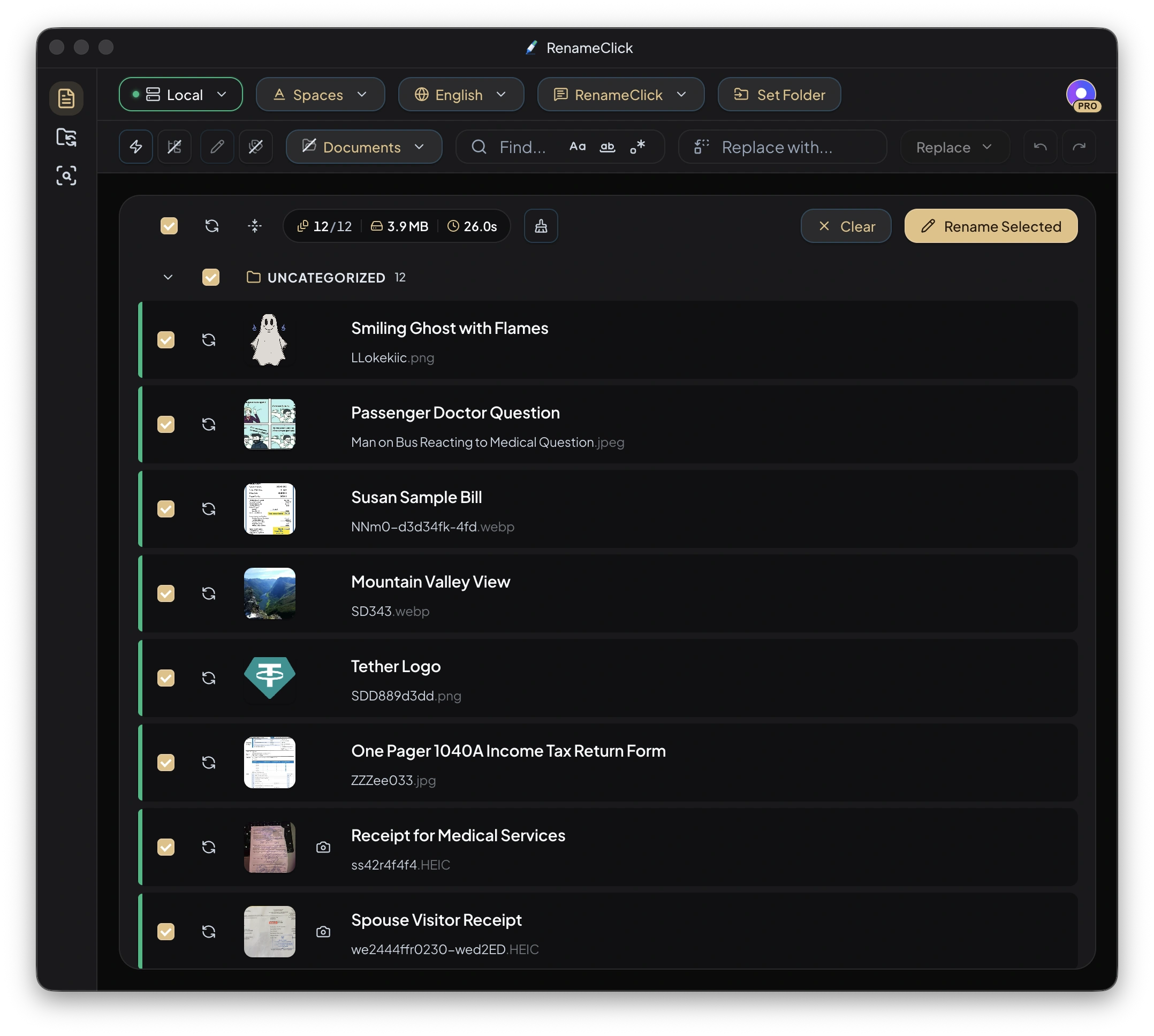
Before and after examples
| Original | Suggested name |
|---|---|
invoice_7643_final.pdf | 2026-04-03_acme-supplies_invoice_7643.pdfSupplier, date and number read from the document text with Custom Instructions. |
IMG_0042.JPG | church-entrance-stone-arch.jpgThe visible subject of the photo, Slug Case format. |
recording_042.m4a | Project Kickoff Summary.m4aSpeech transcribed on the device after installing Audio Transcription. |
How a file becomes a name
| File | Content used | Limit to check |
|---|---|---|
| Text documents and text PDFs | Extracted text | Long text is trimmed before analysis. |
| Images and scanned PDFs | Visual content | Scanned PDFs use the first page. |
| Spoken audio | Locally transcribed speech | Long recordings are sampled; music identification is not supported. |
Use the description or request a structure
Keep the built-in instructions for a descriptive name and choose a format. If a document needs specific fields in a fixed order, select Custom Instructions and state the full structure, language, and missing-value behavior there. Ordinary Format and Output Language are disabled in that mode.
Keep content and metadata distinct
File creation dates, modification dates, and EXIF capture dates are metadata. A date printed inside a document comes from its contents. RenameClick does not substitute one source for another to validate an event date.
The model can misread a number or misidentify a subject. Inspect names against the files, edit suggestions, and apply the selected rows.
Choose whether the file moves
Rename only changes the name in place. Categorize only keeps the name and moves the file. Enable both for Rename & Move. Extensions are preserved, and conflicting target names are made unique.
Rename workspace Undo retains up to 10 entries in memory and clears on restart. It is not a permanent operation history.
Choose the app for your files
RenameClick runs on Mac and Windows. In Rename, you can add files, edit suggested names, retain original IDs, and rename in batches. Analysis produces editable suggestions; files change only when you click Rename Selected. Use Categorize as well if the files should move into folders.
Where analysis happens
Choose Local for on-device analysis after downloading its model. Optional cloud providers in the direct macOS and Windows builds use your API key and receive content for analysis; their charges are separate. The Mac App Store build excludes cloud providers.
FAQ
Which file types can be renamed by content?
Supported documents, text files, images, scanned PDFs, and spoken-audio formats listed in the documentation. Older Office formats such as .xls and .ppt, video, and archives are not analyzed.
Does it work offline?
Choose Local for on-device analysis after its one-time model download. Optional cloud providers in the direct macOS and Windows builds use your API key and receive content for analysis; the Mac App Store build excludes them.